

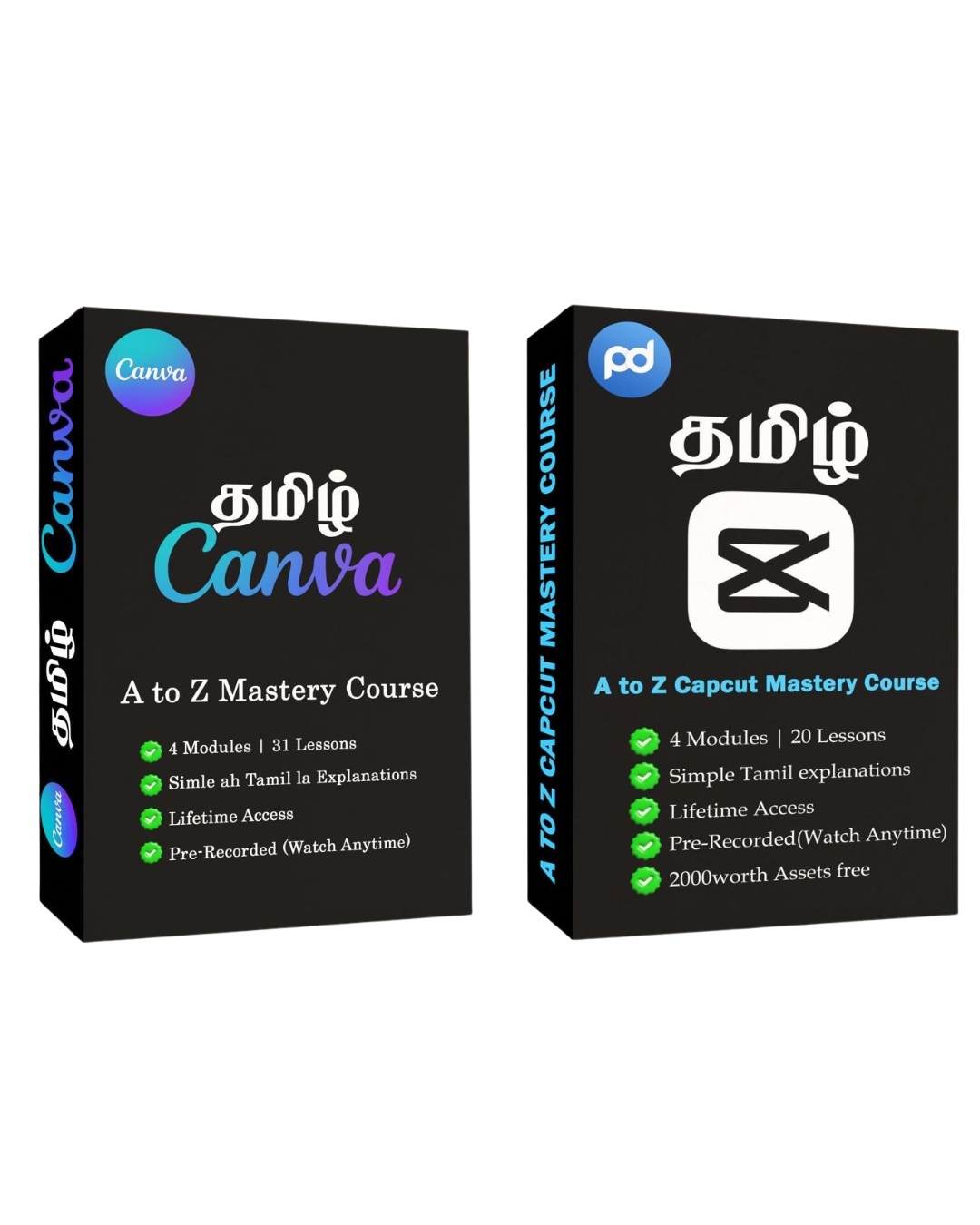
Master CapCut & Canva
Create viral, high-converting content using the world's most powerful mobile-friendly editing tools.
Course Structure
A comprehensive roadmap to elite mobile video editing (8 Modules • 30+ Lessons)
01
Editing Foundations & Psychology
expand_more
Understand the "Why" behind editing before touching the tools.
- What is Editing & Why It Matters
- Types of Editing (Content Styles)
- Short-form vs Long-form Strategy
- Retention Editing & Viral Basics
02
Setup & CapCut Essentials
expand_more
Get your environment ready for a professional workflow.
- CapCut Overview + Requirements
- Installation + VPN Setup
- Project Setup & Workflow Basics
03
Interface & Tool Mastery
expand_more
Deep dive into every button and feature within the interface.
- Dashboard & Project Navigation
- Media Import & File Management
- Timeline Control
- Text, Captions & Subtitles
- Audio Tools (Music, Voice, Sync)
- Effects, Filters & Transitions
- Overlays, Stickers & Layers
- Export Settings (HD, Format, Quality)
04
Workflow & Practical Execution
expand_more
Learn the step-by-step process of building a video from scratch.
- Step-by-step Editing Workflow
- Clean Cuts & Scene Structuring
- Basic Transitions + Smooth Flow
- Syncing Audio with Video
05
Advanced Editing & Pro Features
expand_more
Master complex techniques used by high-end creators.
- Keyframes & Advanced Animations
- Masking + Bg Removal + Green Screen
- Speed Control + Motion Tracking
- Color Correction & Enhancement
06
Editing Styles & Viral Cuts
expand_more
Break down the specific cuts that keep viewers watching.
- All Types of Cuts
- When & Where to Use Each Cut
- Real Editing Flow Breakdown
07
B-Rolls & Sound Design
expand_more
Learn to source and use professional assets effectively.
- A-Roll vs B-Roll Strategy
- Free Resources
- Background Music + SFX Usage
- Voice Enhancement & Audio Cleanup
08
Real Projects & Monetization
expand_more
Turn your skills into a business and start earning.
- Real Client Workflow
- Rough Cut → Final Output Process
- Portfolio Building
- Getting Clients & Earning
Course Structure
A step-by-step roadmap to Canva mastery (4 Modules • 31 Lessons)
01
Module 1: Canva Foundation (15 Lessons)
expand_more
Learn every essential tool from scratch — from the interface to advanced design controls.
- Account Setup & Dashboard Overview
- Layers, Rulers & Grids
- Cropping, Resizing & Positioning
- Background Remover & PDF Editor
02
Module 2: Must-Know Tools (11 Lessons)
expand_more
Discover Canva’s most powerful tools and AI features that save hours of work.
- Magic Media AI, Erase & Write
- Translate Tool & Beat Sync for Reels
- Custom Path Animation
- Bulk Create Tool & AI Presentations
03
Module 3: Helpful Resources (3 Lessons)
expand_more
Understand how to maintain perfect color balance and professional exporting.
- Resize in Canva
- Filters & Effects Guide
- Pro Colors & Contrast Guide
04
Module 4: Real-World Examples (2 Lessons)
expand_more
Apply everything to real projects and build your professional portfolio.
- Create a YouTube Thumbnail using AI
- Design a Brand Logo using Canva
One Package. Complete Mastery.
Everything you need to go from a beginner to a professional content creator.
Professional Branding
Learn to design consistent logos, social media posts, and brand identities using Canva's pro tools.
Viral Video Editing
Master CapCut's advanced features like keyframes, masking, and beat-sync to create high-retention reels.
Simple Tamil Training
No complex English jargon. Every technical concept is broken down into easy-to-understand Tamil.
Fast-Track Growth
Stop wasting time on scattered tutorials. Follow a proven roadmap to scale your creative career fast.
Stop Learning Tools. Start Creating Content That Grows
Our Life Time Video
Editing Assets
Get access to premium templates, effects, and resources — everything you need to speed up your editing workflow.


Get Certified
In a crowded digital market, formal recognition sets you apart. This certification validates your technical proficiency and creative strategy, providing the authority needed to command higher rates and land premium projects.

See How Learners Are Growing With Us
Real Results from Real Students
Student Success Proof


Video Testimonials
We are a team of creators helping beginners become confident digital creators.

Founder and Instructor

Instructor and Content Strategist
Over the past few years, we’ve worked on:
Frequently Asked Doubts
Everything you need to know before starting your journey with Prozone.
Yes, absolutely. Every module is designed to take you from zero to advanced. We explain every concept in simple Tamil, ensuring you build a strong foundation before moving to complex strategies.
You get instant access! Immediately after your payment is successful, you will receive an automated email with your login credentials and dashboard link to start learning right away.
Yes. Our platform is fully responsive. You can watch the lessons and access all resources on any device—Mobile, Tablet, Laptop, or PC—at any time that suits you.
No. You get Lifetime Access to the course materials and all future updates. You can learn at your own pace without any pressure or deadlines.
We provide dedicated student support. You can reach out through our community group or email us directly. We ensure your technical and course-related doubts are cleared quickly.
Joined by 500+ Tamil creators building their future


